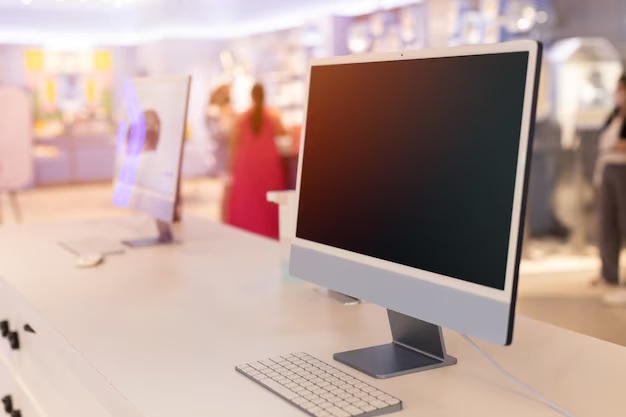
Setting up the modern-day office is all about balancing things out. There should be a clean-looking workspace matched with a fast-working computer. However, high-end tech often comes with a high-end price tag. This is the reason why a lot of professionals are now opting for a refurbished all-in-one PC. These machines merge the monitor and computer into one unit, saving on space and cost.
When buying one, be prepared to find a ton of technical specifications. The most common question regarding specifications is about RAM. How much do you actually need for a typical day at work? If you get too little, your system will grind to a lag. If you get too much, you could end up wasting precious money. So let’s find out that “just right” amount of memory for your office needs.
What Is RAM and why does it matter?
RAM stands for Random Access Memory. This can be thought of as the short-term memory of your computer. It is like the surface of your physical desk. If you have a small desk, you can only work on one piece of paper at a time. To look at a second piece of paper, you have to put away the first one into a drawer. This takes time and slows you down.
With a big desk, you can have your email, a spreadsheet, and several browser tabs open all at once. You can switch between these instances immediately. refurbishedNow, in a all in one pc,RAM works like that. It allows one to run many applications at any one time.
For the one-hour workday of checking emails, writing reports, and hopping on video calls, RAM is what makes these transitions smooth. Anything less than enough RAM will make the hardest processor seem sluggish, as it will always be waiting for data to come into or out of itself.
Common RAM Sizes for a Refurbished All-in-One PC
Most refurbished computers come in three primary memory sizes: 4GB, 8GB, and 16GB. Here below is a more practical look at what each of them can handle in a modern office environment.
4GB RAM: The “Light Duty” Option
4GB was good enough a few years back and today is an absolute minimum.
- What it can do: It is alright for very basic tasks like typing a single Word document or checking one email at a time.
- The downside: The modern operating system, such as Windows 11, uses a lot of RAM just in standby. Try opening more than five browser tabs, and you will just about watch it struggle.
- Who should get it: Only consider this if you are on a very strict budget and only work with one application at a time.
8GB RAM: The Office Work Standard
For most people, 8GB is the “sweet” spot. It is the most common configuration for a refurbished desktop or all-in-one unit.
- What it can do: Multi-tasks quite well. You can keep your email app open, some Excel sheets running, and have about 10-15 browser tabs open without issues at all.
- The experience: Video calls would run perfectly on either Zoom or Teams. Your computer won’t freeze as you try to share a document in a meeting.
- Who should get it: This is the best choice for general admin work, sales, and management.
16GB RAM: The Power User Choice
If your workday is intense, 16GB of RAM is a great investment.
- What it can do: For the “tab hoarder” who keeps 30+ websites open. This is also for people using heavy software like QuickBooks or light creative tools.
- The experience: Your machine would feel “snappy.” It opens things almost instantaneously and “future-proofs” your machine. This means it will continue to be fast for the next few years as software becomes more demanding.
- Who should get it: Pick this if you would rather not think about the speed of your computer anymore.
Tips for Choosing RAM in Your Next Computer
When looking for a refurbished desktop or all-in-one, your budget usually dictates the decision. Here is a very basic way to decide.
1. Look at your current usage: If your work computer feels slow, press `Ctrl + Alt + Delete` and check for memory usage in “Task Manager.” If memory usage is in the 80% or 90% ballpark, you really do need to get an upgrade.
2. Think about the future: Sometimes it is cheaper to buy a PC with 16GB of RAM now than to try and upgrade it later. Many all-in-one PCs are tightly manufactured and difficult to open up and upgrade.
3. The SSD factor: Always make sure your computer has an SSD (Solid State Drive) along with your RAM. An 8GB RAM computer with an SSD will always be better than a 16GB RAM computer with an old-fashioned hard drive.
If you are a small business owner, 8GB typically gives the best value. It enables your team to work without complex slowdowns but avoids overspending on hardware they would not use to the full.
Conclusion:
Choosing the right amount of memory is pretty much how far your workday goes. For most daily office tasks, 8GB RAM should do just fine, providing for a fast and reliable experience. Heavy multitaskers will find transitioning to 16GB a smart and future-protecting move.
When ready to buy, be sure to pick a source you can trust. Some companies, such as NewJaisa, focus on making high-quality refurbished electronics that feel just like new. They take all the guesswork out of it by finding every machine they test before selling it, along with excellent support. That means you would be focusing on work instead of worrying about the hardware.
Buying a refurbished all-in-one PC from a reliable provider like NewJaisa is one of the best ways to get premium performance at a fair price. It’s a win for your productivity and your wallet.





Leave a Reply